
Most people use ChatGPT prompts like this:
“Make this photo better.”
That’s why they get average results.
If you want professional-grade output, your ChatGPT prompt for image editing must think like a creative director — not a casual user.
Below is a structured, advanced prompt designed to transform a flat portrait into a dramatic studio-style image with controlled lighting, depth, and realistic texture.
This is not a basic enhancement.
This is controlled transformation.
🎯 What This ChatGPT Prompt Is Designed To Do
This prompt focuses on:
- Studio-style directional lighting
- High-contrast dramatic mood
- Controlled shadow sculpting
- Texture-preserving skin refinement
- Professional color grading
- Subtle lens simulation
The goal is realism — not artificial beauty filter effects.
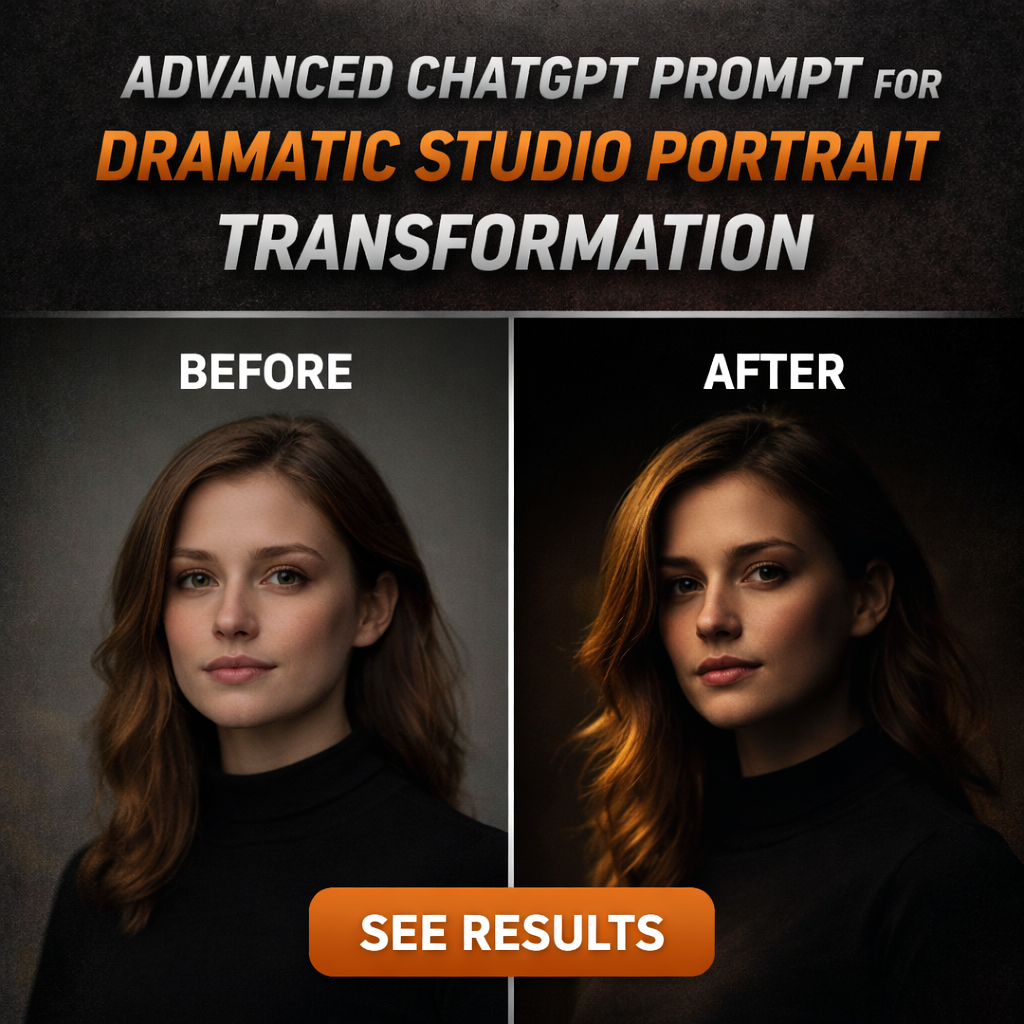
📸 Visual Comparison
BEFORE
A flat, evenly lit portrait with minimal depth, neutral color balance, and no directional shadow definition.
AFTER
Strong key light from one side.
Sculpted facial shadows.
Enhanced micro-contrast.
Cinematic tonal grading.
Soft background separation.
Professional studio mood.
This is achieved using one structured ChatGPT prompt for image editing.
🔥 The Advanced ChatGPT Prompt
Act as a professional high-end portrait retouching specialist and studio lighting expert.Analyze the image carefully and transform it into a dramatic studio-style portrait. Introduce directional key lighting from one side to sculpt the face naturally while maintaining realistic shadow falloff. Increase depth by adding subtle contrast in midtones and slightly deepening shadows without crushing details.Enhance facial clarity using micro-contrast adjustments while preserving natural skin texture — do not over-smooth or apply artificial beauty filters. Maintain realistic pores and natural tonal transitions.Apply a cinematic color grading style with slightly cooler shadows and warm highlights to create tonal separation. Adjust white balance carefully to avoid unnatural color shifts.Simulate a professional 85mm lens depth-of-field effect with gentle background blur while keeping subject edges clean and realistic. Add subtle rim lighting to improve subject separation if appropriate.Maintain high dynamic range and avoid oversaturation, exaggerated sharpening, or unrealistic glow effects. The final output should resemble a professionally lit studio portrait captured with a full-frame DSLR camera.
Why This ChatGPT Prompt Works
This is not random instruction.
It works because it:
- Assigns a professional role
- Defines lighting direction
- Controls contrast intensity
- Preserves realism
- Specifies lens behavior
- Restricts over-processing
Most weak prompts fail because they lack constraints.
This structured ChatGPT prompt for image editing balances enhancement with realism.
Ideal Use Cases
This prompt works especially well for:
- LinkedIn headshots
- Personal branding portraits
- Influencer profile photos
- Corporate identity images
- Creator thumbnails
It is ideal when the original image feels flat but has good base exposure.
Pro-Level Refinement Strategy
If the result feels too dramatic:
→ Reduce shadow depth slightly
→ Lower midtone contrast
If it feels too soft:
→ Increase micro-contrast by 5–10%
→ Add subtle clarity boost
Fine control turns a good ChatGPT prompt into a professional editing workflow.
Final Thoughts
A powerful ChatGPT prompt for image editing doesn’t just enhance brightness or sharpness.
It controls light.
It shapes depth.
It preserves realism.
It defines mood.
If you want professional results, stop writing casual prompts.
Start directing the AI like a studio photographer.
Explore more advanced ChatGPT prompts in this category to refine your visual transformation process.