
🎬 Before & After: Cinematic Lighting Transformation
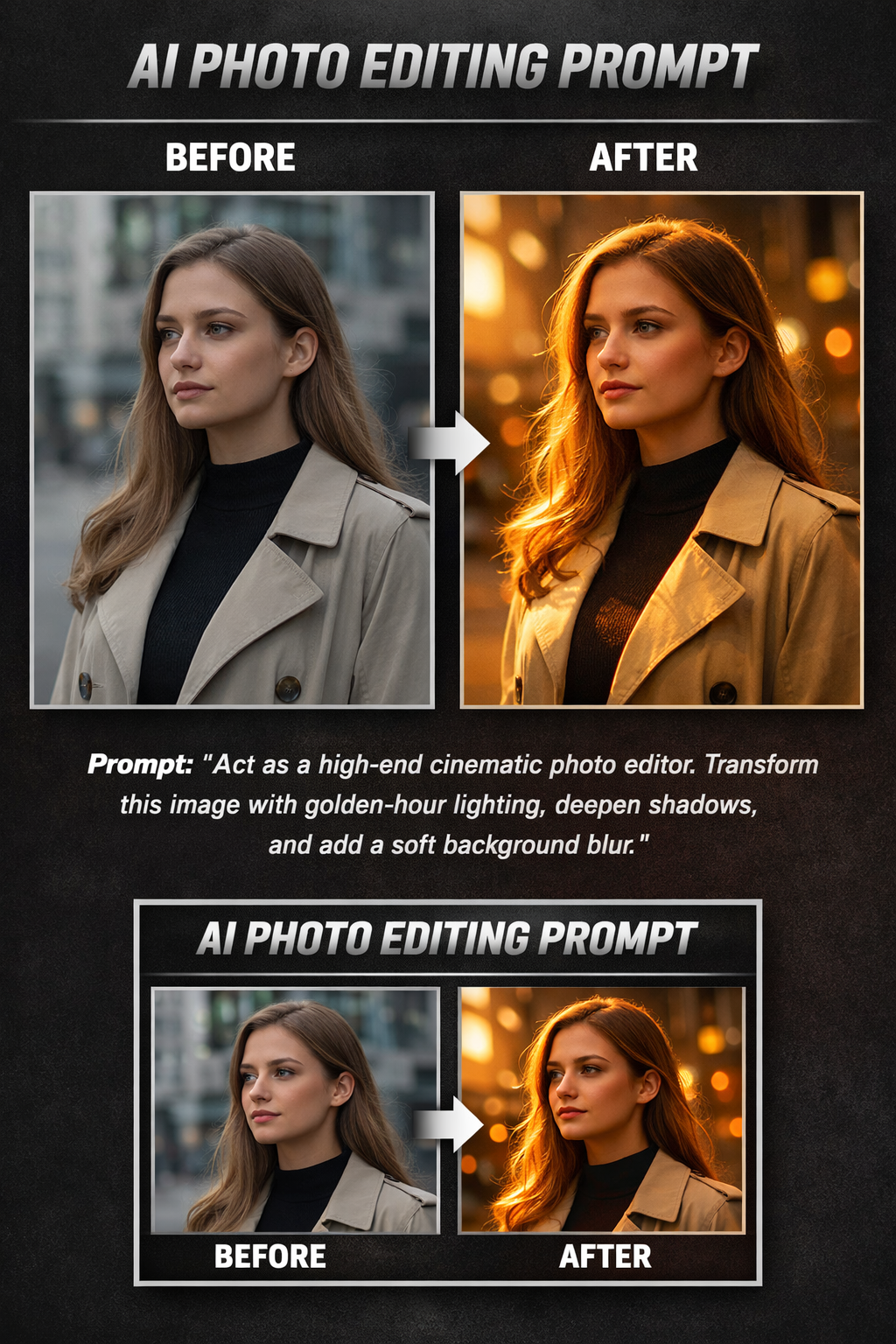
Notice the difference:
• Warmer golden highlights
• Deeper yet controlled shadows
• Improved facial clarity
• Subtle background depth
• Professional cinematic mood
This transformation was achieved using a single structured AI photo editing prompt.
Flat lighting kills great photos.
Even a good camera can’t save an image that lacks depth, warmth, and dynamic contrast.
That’s where a structured AI photo editing prompt changes everything.
Instead of random edits, the right prompt can guide AI tools to recreate cinematic lighting, balanced shadows, and professional-level clarity — all within seconds.
Below is a real visual example.
🔥 The AI Photo Editing Prompt Used
Act as a high-end cinematic photo editor.
Transform this image by applying a warm golden-hour lighting tone, improve dynamic range for smoother highlight transitions, deepen shadows moderately to add dramatic depth, enhance facial clarity while preserving natural skin texture, and introduce a subtle depth-of-field effect for professional lens simulation. Maintain realistic colors and avoid artificial over-processing.
Why This AI Photo Editing Prompt Works
This is not a generic command.
It works because it includes:
✔ A defined role (high-end cinematic editor)
✔ Specific lighting direction (golden-hour tone)
✔ Controlled shadow depth (moderate, not extreme)
✔ Texture preservation (natural skin)
✔ Output limitations (avoid over-processing)
A well-built AI photo editing prompt tells the AI exactly how to think — not just what to do.
When to Use This Prompt
This AI photo editing prompt performs best for:
• Portrait photography
• Instagram content upgrades
• Lifestyle shoots
• Branding visuals
• Influencer photos
It is especially powerful when your original image has natural light but lacks emotional depth.
Pro-Level Refinement Tip
If the result looks too dramatic:
→ Reduce shadow intensity slightly.
If the result looks flat:
→ Increase dynamic range and clarity by 5–10%.
Small refinements turn a good AI photo editing prompt into a professional workflow tool.
Final Thoughts
A powerful AI photo editing prompt doesn’t just enhance an image — it transforms perception.
Instead of manually adjusting sliders, guide the AI with structured direction. The results speak for themselves.
Explore more advanced AI photo editing prompts in our Photo Editing Prompts category to elevate your creative process.